What Is the MLH Free Cursor Pro Offer?
The MLH Free Cursor Pro offer is a promotional opportunity associated with Major League Hacking's Global Hack Week.
MLH is an organization that supports developer communities, hackathons, and technical learning events.
For its October 2026 Hacktoberfest edition, MLH published a challenge titled "Sign up for a Cursor Pro Account."
According to the official challenge instructions, participants should install Cursor, create an account, and use a promotional code sent by MLH to redeem free Cursor Pro access.
The event takes place online from October 9 to October 15, 2026.
What Is MLH Global Hack Week?
Global Hack Week is a free online event featuring coding challenges, developer workshops, community activities, and opportunities to experiment with developer tools.
Anyone interested in software development can explore the event. MLH describes Global Hack Week as free to attend and open to participants worldwide.
However, general event participation and eligibility for a specific promotional reward are not necessarily identical.
Is This Offer Legitimate?
Yes. The Cursor Pro challenge is listed on MLH's official website.
You can verify it directly:
Official MLH Cursor Pro Challenge
The official challenge instructs participants to use a promotional code from MLH and manually upgrade their Cursor account.
However, do not assume that registration guarantees a code or that the promotion includes a full year of access. These details are not confirmed on the public challenge page.
Who Is Eligible for Free Cursor Pro?
MLH Global Hack Week is open to a broad developer community, including beginners, students, and experienced programmers.
You do not need to be a university student just to register for Global Hack Week.
Unlike Cursor's separate student discount program, the published MLH challenge does not list a university email address as a requirement.
Before proceeding, remember:
- Register through the official MLH event website.
- Use an email address you can access.
- Review any conditions included in the promotional email.
- Check whether the promotion is valid in your country.
- Confirm the subscription duration and final price before redeeming.
The public challenge does not provide a complete country-specific list of promotional code restrictions.
How to Claim Free Cursor Pro Through MLH
Follow these steps to participate in the official MLH challenge and redeem a promotional code if you receive one.
Step 1: Register for Global Hack Week
Visit the official Global Hack Week event page:
MLH Global Hack Week: Hacktoberfest 2026
Select the registration option and complete the MLH registration process.
MLH also publishes a separate registration and check-in challenge. Follow the instructions provided for your event account and complete check-in if required.
Keep your registration confirmation email.
Step 2: Find the Cursor Pro Challenge
Open the official Cursor Pro challenge:
Sign up for a Cursor Pro Account — MLH
Read the instructions carefully.
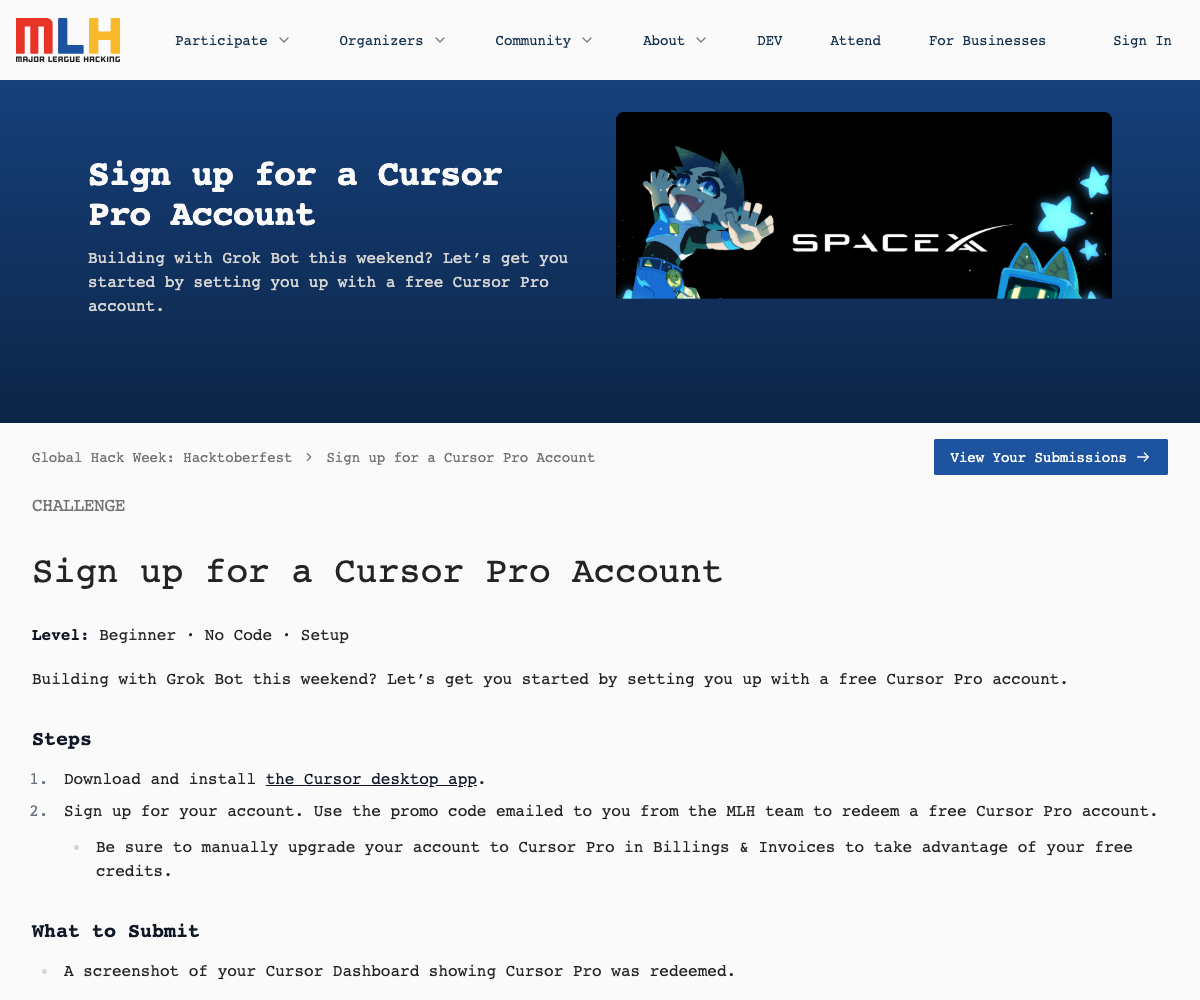
The challenge requires participants to set up a Cursor account and provide a screenshot showing that Cursor Pro has been redeemed.
Do not submit a screenshot containing payment details, sensitive account information, or a visible promotional code.
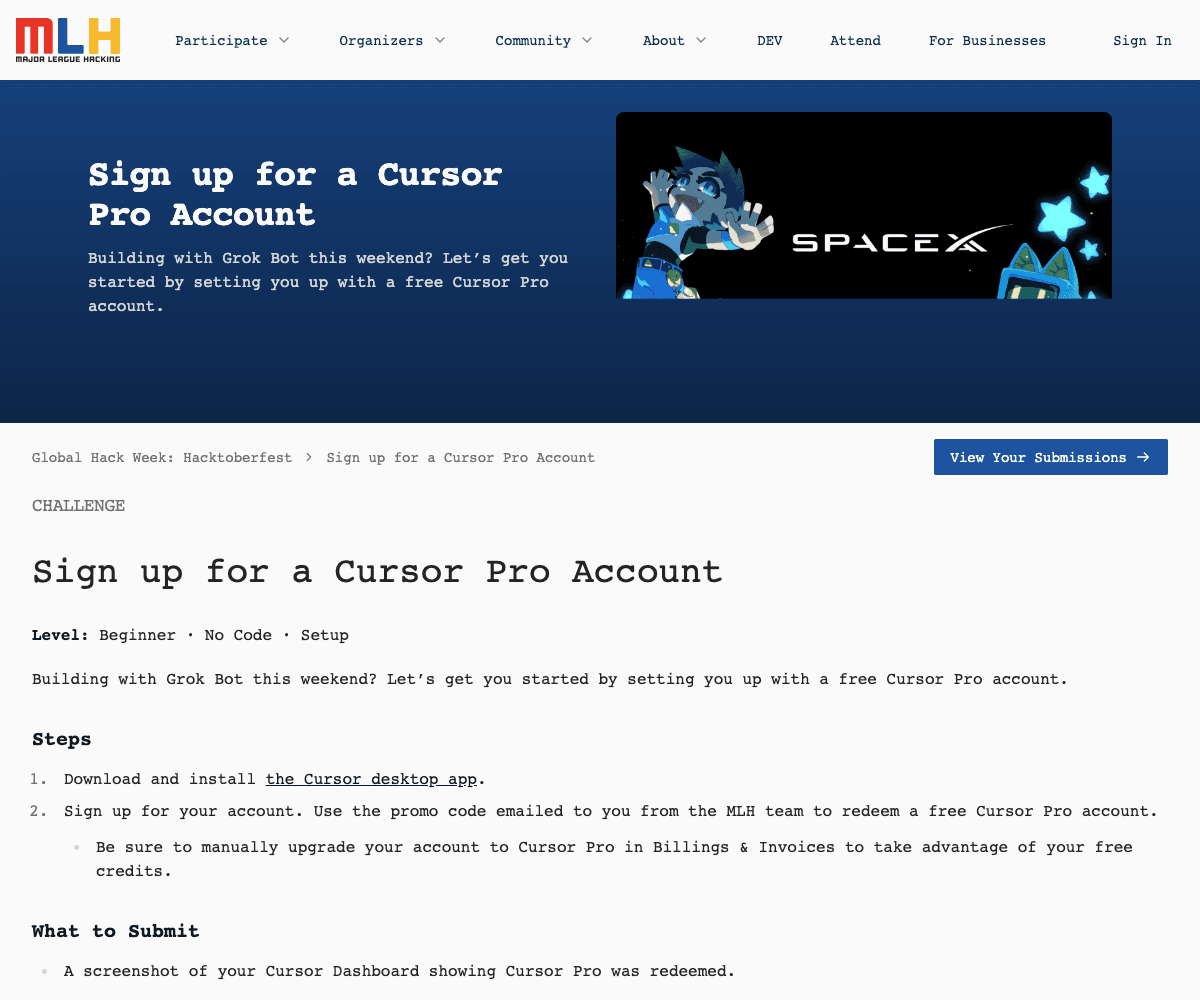
Official MLH challenge, captured October 13, 2026. Select the image to view it at full size. Step 3: Download Cursor and Create an Account
Visit Cursor and download the desktop application.
Install Cursor on your computer, then register or sign in.
If you already use Cursor, review your current subscription before attempting to apply the promotion.
You should not purchase a paid subscription solely to participate in the MLH challenge.
Step 4: Find Your MLH Promo Code
The official challenge states that the MLH team sends the promotional code by email.
Check your inbox and search for messages associated with MLH or Global Hack Week.
If you cannot find the email, check your spam, junk, and promotions folders.
Make sure you completed the relevant registration steps and review MLH's official event communications.
The publicly available challenge does not specify a guaranteed code delivery time, so avoid assuming the code will arrive immediately after registration.
Step 5: Redeem Your Code in Cursor
Once you receive a valid promotional code:
- Sign in to your Cursor account.
- Open the Cursor Billing Dashboard.
- Find the plan upgrade or billing section.
- Select Cursor Pro as instructed by the promotion.
- Enter or apply the promotional code in the appropriate redemption or checkout flow, if offered.
- Review the final amount, promotional terms, and renewal details.
- Confirm the upgrade only if the displayed conditions match the offer you intend to use.
MLH specifically advises participants to manually upgrade their account to Cursor Pro under "Billing & Invoices" to take advantage of the free promotional credits.
Never confirm a paid checkout assuming the discount will be applied afterward.
Step 6: Verify Your Cursor Pro Subscription
After redeeming your code, return to your Cursor dashboard.
Verify that:
- Your subscription shows Cursor Pro.
- The promotion or discount was applied.
- The current amount charged is what you expected.
- The renewal date and future subscription price are clear.
If you are completing the MLH challenge, submit the required dashboard screenshot through the official challenge submission form.
Only share the minimum information needed to demonstrate successful redemption.
Important Things to Know Before Redeeming
1. The Free Duration Is Not Publicly Confirmed
Some online posts describe the offer as one year of free Cursor Pro.
However, the public MLH challenge does not explicitly confirm a 12-month subscription.
Do not rely on social media claims when deciding whether to activate the promotion.
The duration displayed in your promotional email or checkout confirmation is more relevant to your own redemption.
2. Event Dates and Code Expiration Are Different
Global Hack Week: Hacktoberfest runs from October 9 through October 15, 2026.
That does not automatically mean every promotional code expires on October 15.
Check the actual code expiration date in your email or promotional terms.
3. A Free Event Does Not Guarantee a Free Subscription
Global Hack Week itself is free to join.
However, receiving a promotional code, meeting its conditions, and successfully redeeming it are separate steps.
4. Check for Subscription Renewal Charges
Cursor subscriptions may renew according to their billing cycle.
Before completing the redemption, review whether your plan will renew automatically and what you may be charged after the promotional period ends.
Also review optional usage-based charges, which may be separate from your subscription benefit.
5. Avoid Unofficial Promo Code Sellers
Use the MLH challenge page and official Cursor website.
Avoid websites or individuals asking for your Cursor password, one-time login codes, or unnecessary payment information in exchange for a promotional code.
How to Fix Common Redemption Problems
Problem: I registered but never received a code.
Check your email folders, verify the registration and check-in steps, and review official MLH communications. A public guaranteed delivery schedule has not been published.
Problem: My promo code is invalid.
Check for typing errors, an expired promotion, account restrictions, and whether the code applies to the subscription you selected. If the issue persists, contact the official event organizers or Cursor support.
Problem: Cursor is still showing a payment amount.
Do not complete the checkout until you understand the displayed amount and whether the discount was successfully applied.
Problem: I already have Cursor Pro.
Check your account's billing status and the promotional terms. The public MLH challenge does not confirm whether the offer can be added to an existing paid subscription.
Problem: I completed everything, but my plan still shows Hobby.
Refresh your dashboard and confirm that you completed the manual upgrade process. If the promotion is not reflected in your account, contact Cursor support with the relevant non-sensitive transaction details.
MLH Free Cursor Pro: Frequently Asked Questions
Answers to the ten most common questions about the MLH promotion, eligibility, redemption, and renewal.
Is MLH really giving away free Cursor Pro in 2026?
Yes. Major League Hacking has published an official "Sign up for a Cursor Pro Account" challenge for Global Hack Week: Hacktoberfest 2026. The challenge explains that participants can use a promotional code emailed by MLH to redeem free Cursor Pro access. However, the public page does not guarantee that every registrant will receive a code.
How do I get free Cursor Pro through MLH?
Register for MLH Global Hack Week, review the official Cursor Pro challenge, install Cursor, and create or sign in to your account. If MLH sends you a valid promotional code, use it during the appropriate Cursor billing or upgrade process. Finally, verify that Cursor Pro is active and the promotion has been applied before submitting your dashboard screenshot to MLH.
Do I need to be a student or have an .edu email?
The MLH Global Hack Week event is not restricted to university students, and the published Cursor Pro challenge does not state that an .edu email address is required. This promotion should not be confused with Cursor's separate student discount program, which has its own eligibility requirements.
Is the MLH Cursor Pro offer available worldwide?
MLH describes Global Hack Week as a free event open to people worldwide. However, the public Cursor Pro challenge does not confirm that every country is eligible to redeem the promotion. Code restrictions, regional billing availability, or payment conditions may still apply. Check your promotional terms before redeeming.
How long is Cursor Pro free through MLH?
The public challenge confirms free Cursor Pro promotional access but does not specify its duration. Claims of a full year of free Pro access have not been established by the official challenge instructions. Check your MLH promotional email and Cursor checkout confirmation for the actual duration.
Where can I find my MLH Cursor Pro promo code?
According to the official challenge instructions, MLH emails the promotional code to participants. Check your registration email inbox, spam folder, and promotions folder. The public instructions do not promise immediate delivery, so registration alone should not be interpreted as confirmation that a code has been issued.
How do I redeem an MLH promo code in Cursor?
Sign in to your Cursor account and open Billing & Invoices from your dashboard. Follow the upgrade flow to Cursor Pro, then apply the MLH promotional code wherever the eligible checkout or redemption process allows it. Check the final price and subscription terms before confirming. MLH specifically notes that you must manually upgrade to receive the promotional benefit.
Why is my MLH Cursor Pro promo code not working?
Possible causes include an incorrect code, an expired offer, eligibility restrictions, a subscription conflict, or an unsupported redemption flow. Confirm that you are using the official Cursor website and the correct account. If the discount does not appear, do not complete a paid checkout. Contact MLH or Cursor support for clarification.
Can I use the MLH offer on an existing Cursor account?
The MLH instructions tell participants to sign up for or use a Cursor account, but they do not clearly explain whether the promotional offer can be added to an existing paid plan. If you already have Cursor Pro, check the offer terms and your billing dashboard before making changes. Do not cancel a working subscription without understanding the potential consequences.
Will Cursor charge me after the free offer ends?
Potentially, depending on the subscription and renewal terms accepted during redemption. Check Cursor’s current pricing and your own checkout for the renewal price; plans and prices may change. Review your billing details and disable renewal if you do not want future charges. For web subscriptions, follow the official cancellation guide: Cursor Dashboard → Billing → Manage in Stripe → Cancel Subscription.
Official Sources and Useful Links
For the most accurate information, use the official websites below. Billing and account pages may require you to sign in.
Final Thoughts
The MLH Free Cursor Pro promotion is a genuine opportunity to explore Cursor's paid development tools through an official hackathon community event.
The process is straightforward: register for Global Hack Week, follow the Cursor Pro challenge, obtain the promotional code if eligible, and carefully redeem it through Cursor's official billing system.
The most important point is to verify your own promotional terms. The public challenge confirms the existence of the offer, but not a guaranteed code, universal eligibility, or a fixed free subscription duration.
Always check the final checkout amount and renewal conditions before activating the plan.